

I want to apply some consistent styling to images within blog posts i.e. a shadow. Now I expect this could be done with a class through the Gutenberg editor, but a simple piece of CSS styling within the blog page template does what I need.
This is the current structure of my blog post template:

To add in the styling for the images (well it can be used for any elements), add in a code block at the top of the inner content, with code such as:
.ct-inner-content img {
  box-shadow: 0 4px 8px 0 rgba(0, 0, 0, 0.2), 0 6px 20px 0 rgba(0, 0, 0, 0.19);
  align: center;
}
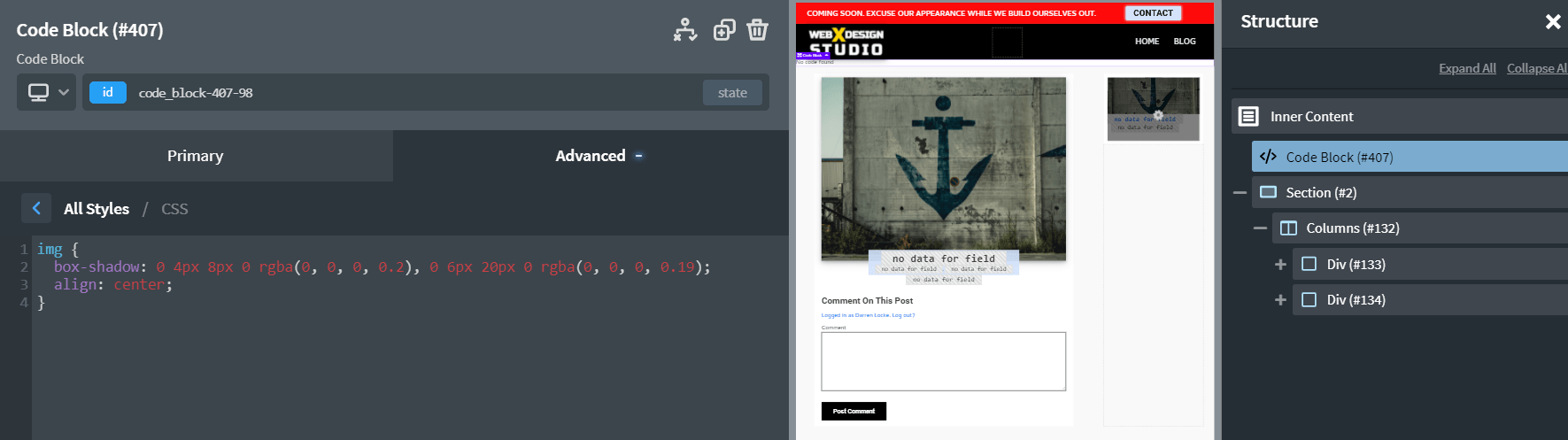
Now all images on my posts will have a shadow and be center aligned. Targeting just the inner content will prevent the shadow from being applied to images like the logo in the header or footer sections.