
Protecting An Email Address from Spam Bots with Oxygen Builder

You want your email address on your website for customers to easily contact you, but you don’t want a ton of spam coming through. If you don’t take steps to protect the email address, spambots will inundate you with unwanted emails. Luckily for us, WordPress has an anti-spambot function that we can easily take advantage of within Oxygen Builder.
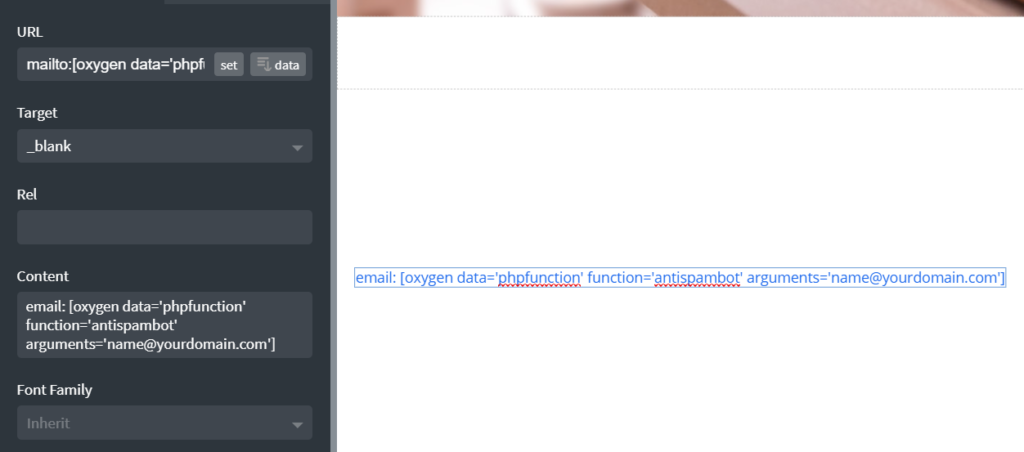
Add in a text link element to your page. For the URL enter:
mailto:[oxygen data='phpfunction' function='antispambot' arguments='[email protected]']If you want to pre-set a subject for the email to be sent to you, modify this statement as:
mailto:[oxygen data='phpfunction' function='antispambot' arguments='[email protected]']?subject=email%20subjectIn the text field, enter the following shortcode:
email: [oxygen data='phpfunction' function='antispambot' arguments='[email protected]']Your text link should now look like this:
On your frontend. you will see:
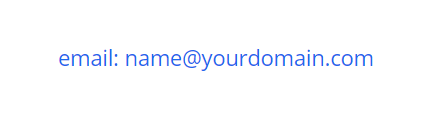
Clicking on the email address will open your favourite email client with the subject automatically set.
If you look at the source code for the page, you will see that the email address is obfuscated with hex codes:

The spam bots look at the source code, not the frontend, so this now means you can safely add your email address to your website and be safe in the knowledge the bots will not spam you.
Thanks to How to hide email address from spam bots in Oxygen? | OxyWP for guiding me in the right direction.